> ## Documentation Index
> Fetch the complete documentation index at: https://starkware-9575960b-agent-options.mintlify.site/llms.txt
> Use this file to discover all available pages before exploring further.
# Lookups
Lookups are simply a way to connect one part of the table to another.
When we "look up" a value, we are doing nothing more than creating a constraint that allows us to use that value in another part of the table without breaking soundness.
## Design
We will walk through four steps to incrementally build up the design of lookups.
### Step 1: Suppose we want to have two columns with the same values.
We can do this by creating two columns with the exact same values and adding a constraint over them: `col_1 - col_2 = 0`.
### Step 2: We want to check that the two columns have the same values but in a different order.
We can use the idea that two sets of values will have the same cumulative product if they are indeed permutations of each other.
So we add new columns, `col_1_cumprod` for `col_1` and `col_2_cumprod` for `col_2`, which contain the running cumulative product of `col_1` and `col_2`, respectively.
The new constraints will check that each of these new columns do indeed contain the cumulative product values and that their last values are the same.
We can optimize this by creating just one new column that keeps a running cumulative product of the fraction `col_1 / col_2`.
### Step 3: We want to check that all values in `col_2` are in `col_1`, but each value appears an arbitrary number of times.
*(Note that this is a generalization of the second step in that for the second step,all values in `col_2` appear exactly once in `col_1`)*
Supporting this third step is actually pretty simple: when creating the running cumulative product, we need to raise each value in `col_1` to its multiplicity, or the number of times it appears in `col_2`.
The rest of the constraints do not need to be changed.
### Step 4: We want to check that all values in `[col_2, col_3, ...]` are in `col_1` with arbitrary multiplicities
Finally, we want to create many more columns that contain values from `col_1`.
To support this, we can use the same idea as the third step: when creating the running cumulative product, we need to raise each value in `col_1` to the power of the number of times it appears in `[col_2, col_3, ...]`.
In summary, lookups support the following use-cases:
1. Prove equality: we want to prove that the values of the first column are equal to the values of the second column.
2. Prove permutation: we want to prove that the values of the first column are a permutation of the values of the second column.
3. Prove permutation with multiplicities: we want to prove that each value of the first column appears a certain number of times over multiple columns.
## Technique: LogUp
LogUp is a technique used to constrain lookups.
It's a successor to [Plookup](https://eprint.iacr.org/2020/315), and is especially useful for proving permutation with multiplicities.
Here, we'll briefly explain why this is the case.
Plookup and its variants use a technique called the Grand Product Check to prove permutation.
$$
\prod_{i=0}^{n-1} (X - a_i) = \prod_{i=0}^{n-1} (X - b_i)
$$
In the equation above, we can check that the set $\{a_0,...,a_{n-1}\}$ is a permutation of the set $\{b_0,...,b_{n-1}\}$ by setting $X$ to a random value provided by the verifier.
However, this becomes inefficient when we have multiplicities since we need to encode the multiplicities as powers of each lookup polynomial, and thus the degree of the polynomial increases linearly with the number of multiplicities.
$$
\prod_{i=0}^{n-1} (X - a_i) = \prod_{i=0}^{n-1} (X - b_i)^{m_i}
$$
On the other hand, LogUp uses the derivative of the Grand Product Check:
$$
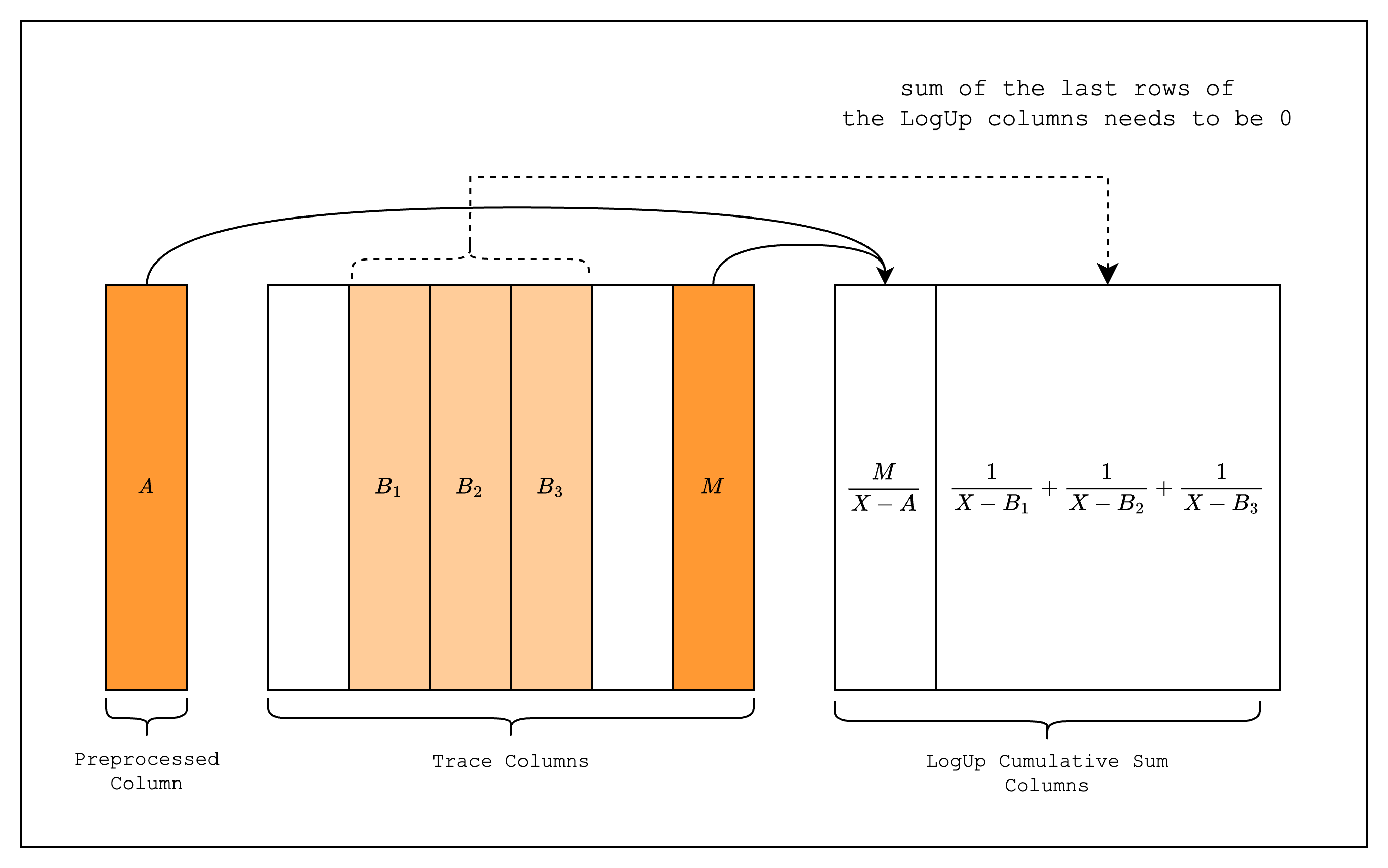
\sum_{i=0}^{n-1} \frac{1}{X - a_i} = \sum_{i=0}^{n-1} \frac{m_i}{X - b_i}
$$
In this approach, each lookup polynomial is represented as a rational function with the multiplicity as the numerator.
This transformation is significant because the degree of the polynomial remains constant regardless of the number of multiplicities, making LogUp more efficient for handling multiple lookups of the same value.
## Implementation
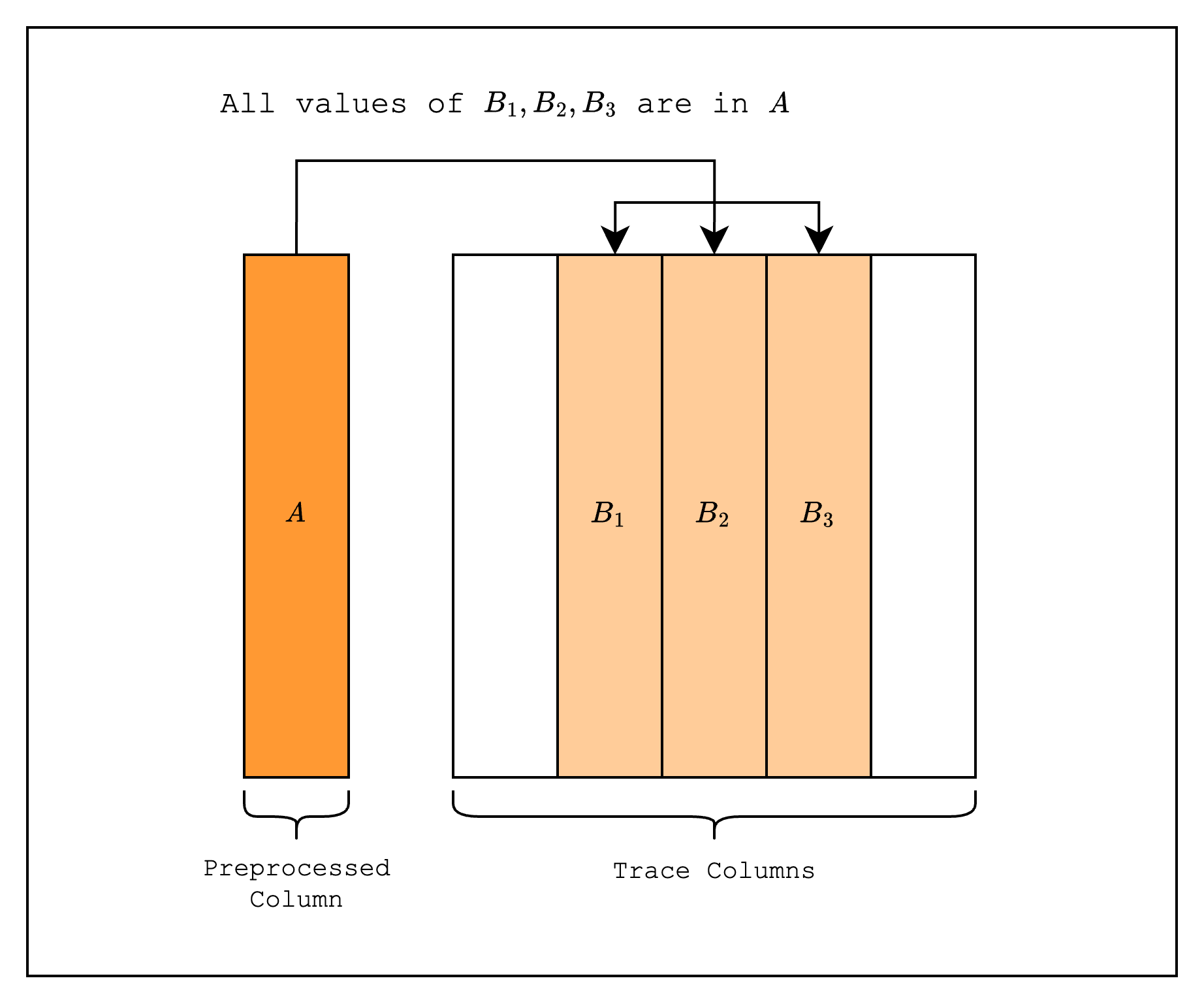
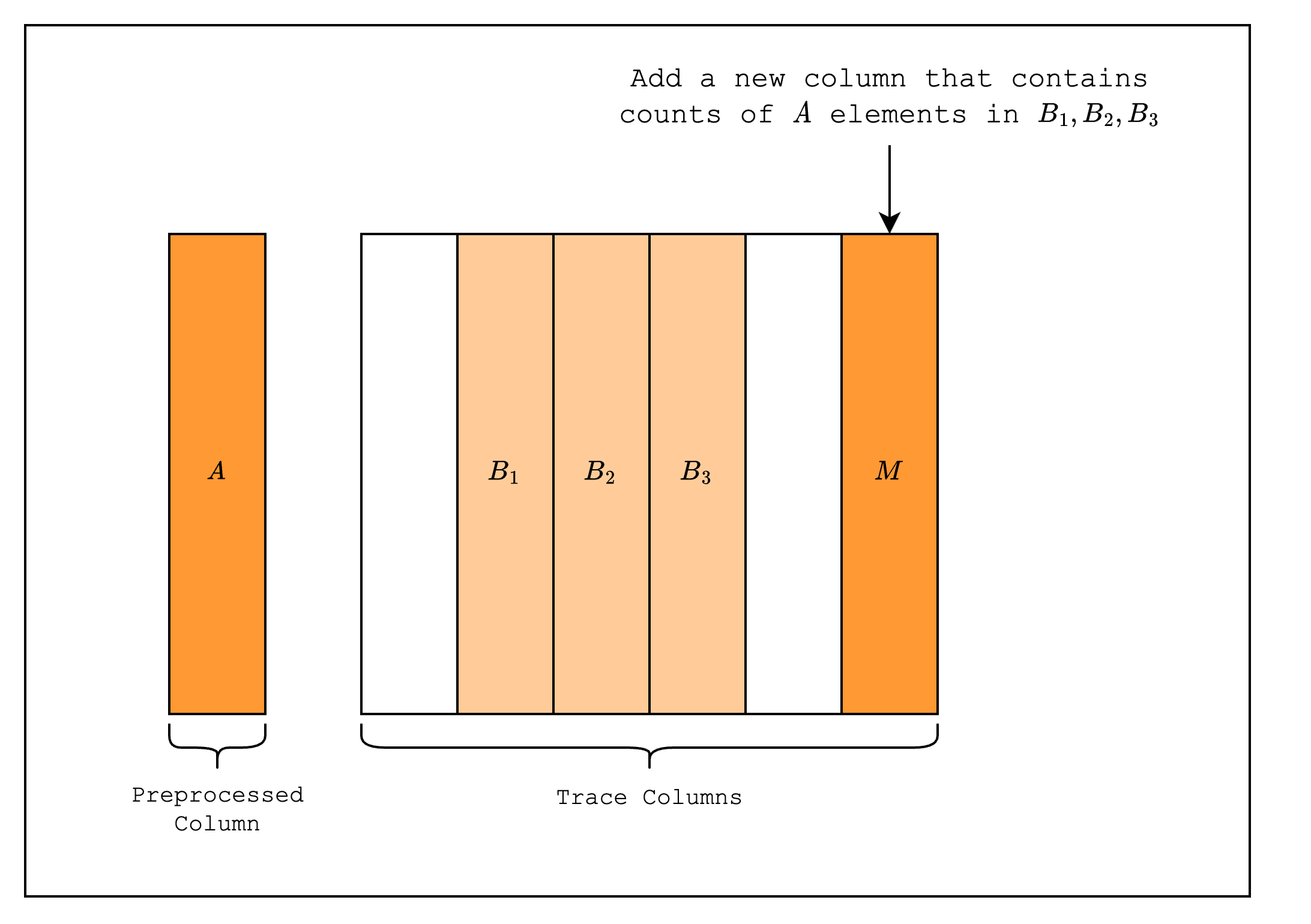
The following figures show the implementation of lookups in S-two that looks up values from a preprocessed trace and constraining them using the LogUp technique.